
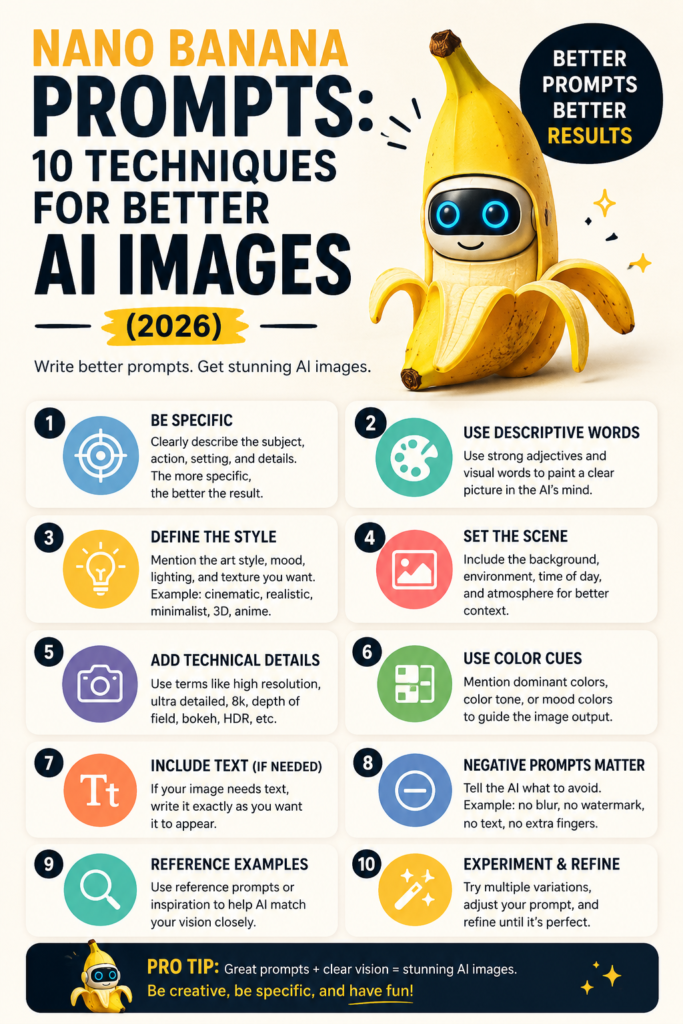
Nano Banana prompts work differently than prompts for older image generators, and understanding that difference is exactly why some people get flat, generic results while others produce genuinely striking, precise images from the same basic idea. Nano Banana AI, Google’s Gemini-powered image model, responds especially well to natural, descriptive language rather than the keyword-stuffed prompt style that worked on earlier tools.
This guide covers ten Nano Banana prompts techniques that consistently produce better results, along with why each one works with how the model actually processes your instructions.
Why Nano Banana Prompts Are Different
Nano Banana prompts respond best to full, natural sentences describing a scene the way you would explain it to a person, rather than a comma-separated list of style keywords. Because the underlying model understands language contextually, describing relationships between elements, lighting, and mood in plain sentences tends to outperform the fragmented, keyword-heavy style that became a habit with older image generators.
10 Techniques for Better Results
1. Describe the scene like a sentence, not a tag list. Instead of writing “woman, red dress, city, night, neon,” describe it as “a woman in a red dress walking through a rain-slicked city street at night, neon signs reflecting in the puddles.” The fuller sentence gives the model real context to work with.
2. Specify camera and lens details for photorealism. Adding phrases like “shot on a 50mm lens, shallow depth of field” or “wide-angle architectural photography” pushes Nano Banana prompts toward a specific photographic style rather than a generic AI look.
3. Name the lighting explicitly. Lighting has an outsized effect on realism and mood. Phrases like “soft golden hour light,” “harsh overhead fluorescent lighting,” or “moody single-source lighting from the left” give the model a clear, specific target.
4. Use iterative refinement instead of starting over. Nano Banana AI supports conversational follow-up edits, so rather than rewriting an entire prompt from scratch, ask for specific adjustments like “make the lighting warmer” or “move the subject slightly left” on your existing result.
5. Be precise about text you want rendered in the image. For images including text, like a mock poster or sign, specify the exact wording clearly and keep it short, since longer text strings are more prone to rendering errors even in strong text-capable models.
6. Describe composition and framing directly. Terms like “centered composition,” “rule of thirds,” or “close-up portrait cropped at the shoulders” give the model concrete framing instructions instead of leaving composition to chance.
7. Layer style references without naming copyrighted sources. Instead of naming a specific artist or franchise, describe the visual qualities you want, like “painterly brushstrokes with muted earth tones” rather than referencing copyrighted material directly.
8. Specify aspect ratio for your actual use case. Stating whether you need a square image for social media, a vertical format for a story post, or a wide format for a banner helps the output match your actual platform needs from the first generation.
9. Combine multiple concepts through clear connecting language. When blending ideas, like a product shot with a specific mood, connect them explicitly: “a minimalist product photo of a ceramic mug on a marble surface, styled like a high-end lifestyle magazine spread,” rather than listing both ideas separately.
10. Use the Pro tier for higher resolution or precise text needs. If your project needs print-quality resolution or exact text rendering for something like a business flyer, the paid Pro tier is specifically built for these higher-fidelity needs beyond casual generation.
Common Prompt Mistakes to Avoid
The most common mistake with Nano Banana prompts is over-stuffing a single prompt with too many competing ideas at once, which tends to produce a muddled result rather than a focused one. Another frequent issue is under-specifying lighting and mood, leaving the model to guess and often producing a flatter, more generic image than intended. Vague style references, like simply saying “make it look artistic” without any concrete description, also tend to underperform compared to specific, sensory language.
Precautions Before You Start
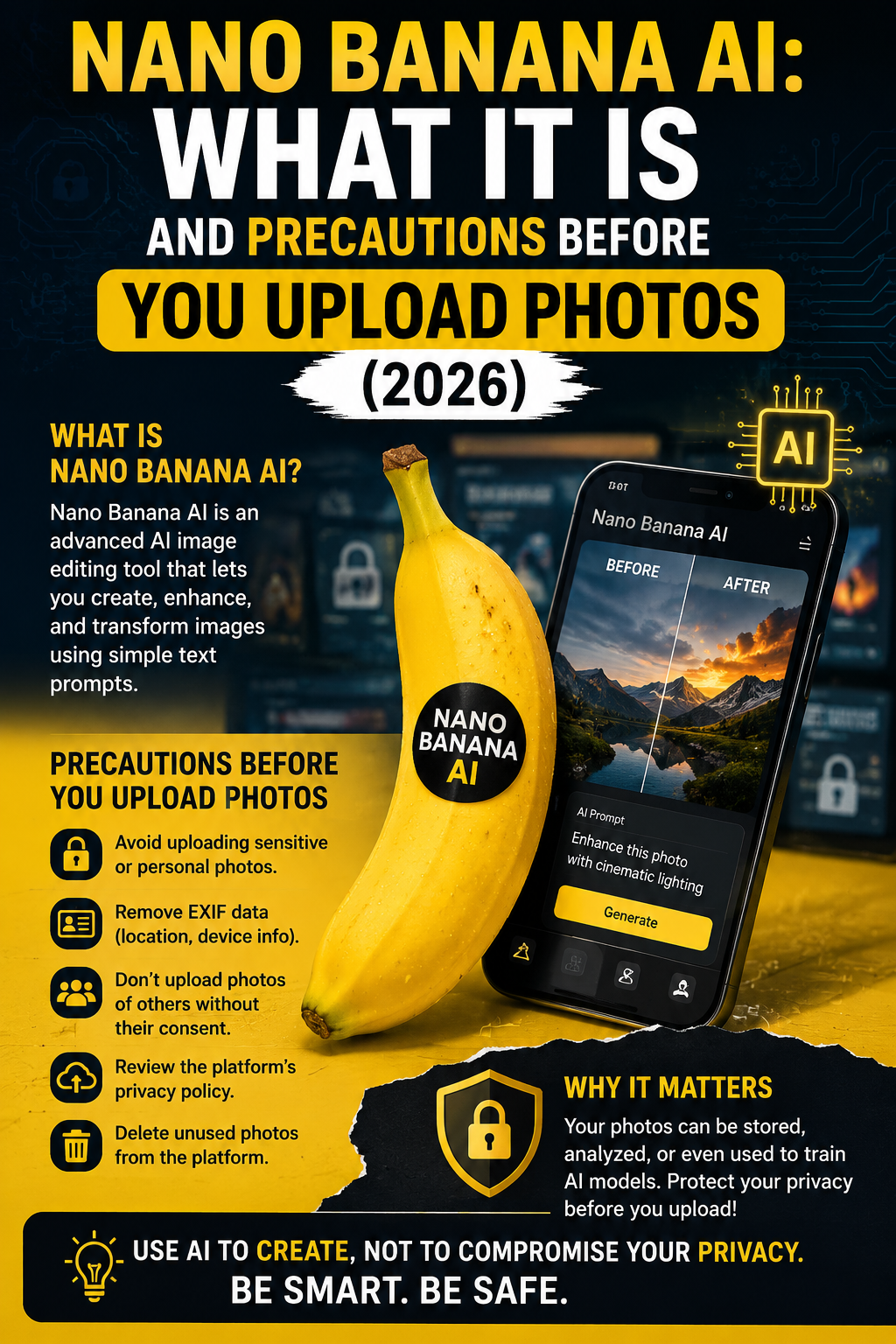
Before uploading any reference photos or generating images involving real people, our Nano Banana AI precautions guide covers the consent, privacy, and watermarking details worth knowing first. The same general prompt safety habits covered in our AI prompts precautions guide apply here too, particularly around avoiding copyrighted characters and real public figures in your prompts.
For official, current guidance directly from Google on getting the best results from the model, their own prompting documentation is worth reviewing directly since techniques are periodically updated as the model improves: Google Gemini Image Generation Guide. For broader prompt engineering principles that apply across most modern AI image tools, Google’s Prompting Guide 101 offers additional useful context: Google Prompting Guide 101.
FAQs
Why do my Nano Banana prompts produce generic results?
This usually happens from under-specifying lighting, composition, or mood. Adding concrete, sensory details tends to produce noticeably more distinctive results.
Should I write Nano Banana prompts as keywords or full sentences?
Full, natural sentences generally work better than keyword lists, since the model uses language context to understand relationships between elements in your scene.
Can I edit an image after generating it with Nano Banana AI?
Yes, conversational follow-up edits are supported, letting you refine specific aspects of an existing image rather than rewriting your entire prompt from scratch.
How do I get accurate text inside a generated image?
Keep the requested text short and state it explicitly and precisely in your prompt, since longer text strings are more prone to rendering errors.
Is the paid Pro tier worth it for casual use?
For most casual, everyday image generation the free tier is sufficient. The Pro tier is more worthwhile specifically for high-resolution or precise text-heavy professional needs.
Can I reference a specific artist’s style in my prompt?
It is safer to describe the visual qualities you want rather than naming a specific artist or copyrighted source directly, both for policy compliance and more predictable results.
Final Thoughts
Nano Banana prompts reward the same instinct as writing a clear description for another person: be specific about lighting, composition, and mood rather than relying on fragmented keywords. Iterating conversationally instead of starting over, and keeping copyright and consent precautions in mind, round out a workflow that consistently produces sharper, more intentional results than generic, vague prompting ever will.
Written by the EmtyBrain Team. We test and write about free AI and developer tools so you don’t have to dig through documentation yourself.
Pingback: what is the best ai image generator?